Home Blogs About Us Contact Us
📞 0777 554 225 Get In Touch
📋 ERP Module

Purchases & Payables

Every purchase approved, received, billed and paid in one connected flow. AccSoft ERP's Purchases & Payables module controls what your business buys and what it owes with approval levels at every step.
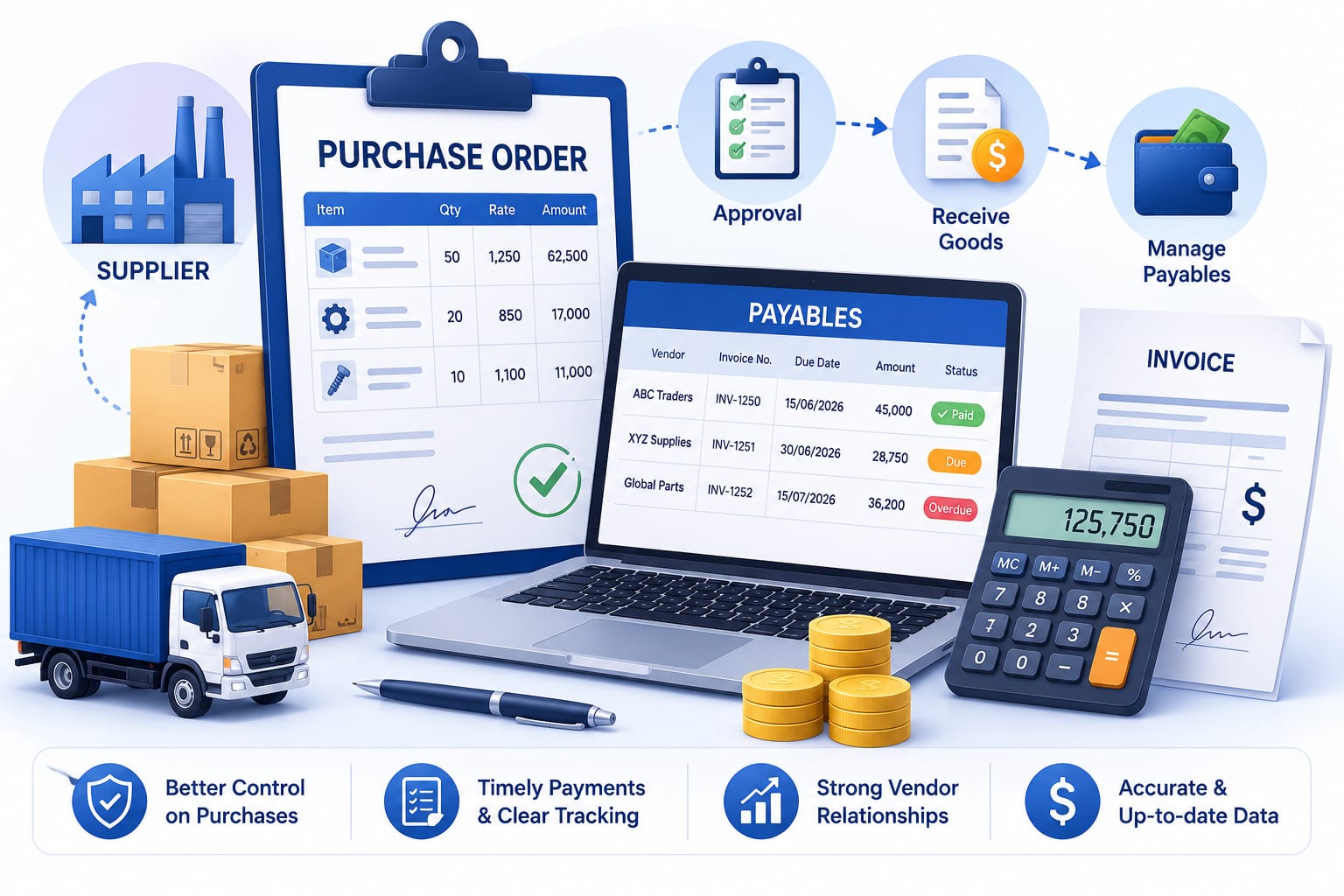
AccSoft ERP Purchases and Payables module procure to pay workflow Sri Lanka

The Procure-to-Pay Workflow

Five documents, one chain. Each is generated from the previous one and carries its own approval status so managers can see exactly where any purchase stands.

📝
1
Purchase Request
Departments raise a request for items needed. Nothing is ordered until the request is approved.
📦
2
Purchase Order
Convert an approved request into a PO, or create a PO directly from a Sales Order.
🚚
3
GRN
Record what actually arrives against the PO. Partial deliveries tracked line by line.
📋
4
Enter Bill
Post the supplier's invoice against the GRN. Amounts and taxes auto-populate from the order.
✓
5
Pay Bill
Settle bills fully or partially by cash, bank transfer, cheque or post-dated cheques.
AccSoft ERP Purchases and Payables workflow dashboard purchase request, purchase order, GRN, enter bill, pay bill
Module dashboard: the five-step procure-to-pay workflow

Approval Control on Every Document

Purchasing is where money leaves the business. AccSoft ERP puts an approval level on every purchasing document not just the request. User permissions decide who can approve at each stage.

📝
Purchase Request
Must be approved before it can be converted to an order.
✓ Approval Required
📦
Purchase Order
Must be approved before printing, emailing or receiving goods.
✓ Approval Required
🚚
GRN
Approved to confirm stock actually entered the warehouse.
✓ Approval Required
📋
Supplier Bill
Approved before it becomes payable in the system.
✓ Approval Required
💸
Payment
Approved before funds are released to the supplier.
✓ Approval Required

See It in Action

Every screen is designed to match the way Sri Lankan businesses actually work with VAT, SSCL and local approval workflows built in from the start.

AccSoft ERP Purchase Order screen showing VAT 18% and SSCL 2.5% per line with live totals ERP Sri Lanka
Purchase Order entry VAT and SSCL calculated per line with live totals
AccSoft ERP Purchase Request screen with approval flag ready for conversion to a Purchase Order ERP Sri Lanka
Approved Purchase Request ready for one-click conversion to a Purchase Order

Why AccSoft ERP for Purchasing?

Everything your purchasing team needs is connected not bolted on.

🔗
Fully Integrated
Purchases update stock in Inventory, post to the General Ledger in Banking & Journal, link to Sales Orders, and feed Manufacturing BOM and Engineering BOQ requirements with no double entry.
🔒
Controlled Spending
Approval levels on every document mean no order, receipt, bill or payment goes through unchecked. Unauthorised spending is stopped before it happens.
🇳🇰
Built for Sri Lanka
VAT, SSCL, post-dated cheques and local document formats are standard not add-ons. Local tax compliance is built in from day one.
📈
Familiar to QuickBooks Users
Teams coming from QuickBooks find the layout and terminology immediately familiar with the depth and control of a full ERP on top.
🌟
Proven Since 1998
AccSoft Solutions has supported Sri Lankan businesses for over 25 years, with more than 5,000 active installations across every industry.
🌎
Multi-Currency Payables
Every document has an exchange rate field. Amounts post in base currency and multi-currency ageing reports show supplier positions in the original currency.

Who Uses This Module?

Designed to fit the way real Sri Lankan businesses buy and pay.

Trading and distribution companies processing hundreds of supplier invoices a month
Importers buying in foreign currency and managing multi-currency payables
Manufacturers purchasing raw materials against production plans
Construction and engineering firms purchasing against BOQs
Back-to-back traders converting customer orders straight into purchase orders
Multi-branch retailers centralising procurement with local approvals

Frequently Asked Questions

Common questions about the Purchases & Payables module.

Which purchasing documents require approval?
All of them. Purchase requests, purchase orders, GRNs, bills and payments each carry an approval level, and user permissions control who can approve at each stage. Every document shows its Approved / Closed status at a glance.
Can we create a purchase order from a sales order?
Yes. When you sell items you do not hold in stock, a customer's sales order can be converted directly into a purchase order to the supplier with all lines carried across automatically.
Does the system handle partial deliveries?
Yes. Each PO line tracks ordered, received and closed quantities. You can raise multiple GRNs against one order until it is fully received or manually closed. GRN Credits handle returns and short-shipments.
How are VAT and SSCL calculated?
Tax is applied per line at the rate set for the item or supplier, and totals are shown separately on the document. An "Amounts Inc VAT" option handles tax-inclusive supplier pricing. See how AccSoft handles Sri Lankan tax compliance in detail.
Can we buy in foreign currency?
Yes. Every document has an exchange rate field, amounts post to your base-currency ledger, and multi-currency balance and ageing reports show supplier positions in the original currency.
What supplier ageing and balance reports are available?
Supplier Balance Summary and Details, Supplier Ageing Summary and Details, Unpaid Bill Details, Overdue Bills Details and Bill vs Bill Payment with multi-currency versions of the balance and ageing reports. All visible through the ERP Dashboard.
Is the item list shared with Inventory and Sales?
Yes. A single item master is used across all modules, so purchase costs and stock movements are reflected everywhere with no duplicate entry.

Explore More AccSoft ERP Modules

Purchases and Payables connects with every other module in AccSoft ERP.